
  1. Articles/

Meal Builder App: Build Your Own Meal Calories

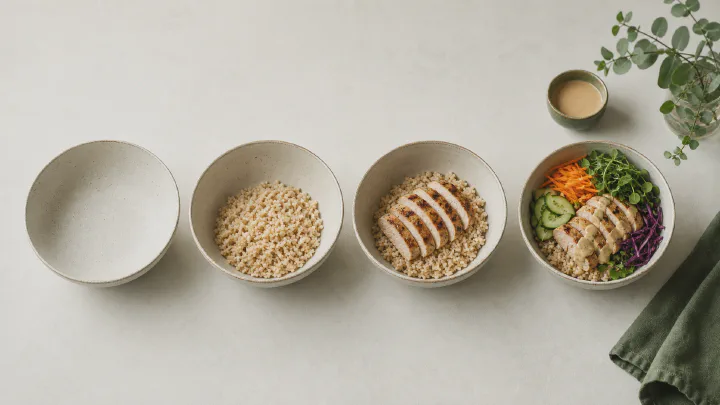
A meal builder app lets you build your own meal calories from the parts on the plate: base, protein, sauce, cooking method, add-ins, and portion. Instead of searching “burger” and choosing from dozens of entries, you start with one verified burger and adjust what was actually different about yours. The result is not a lab measurement; it is a clearer estimate with fewer hidden assumptions.

That is the idea behind Calk’s meal builder: real meals are made of parts, so the calorie estimate should be made of parts too.

If the bigger problem is why normal trackers get tiring, start with why every calorie counter fails at month 2. This page is the mechanic that replaces the database hunt.

The problem with “one entry per meal”
#

Most calorie apps start with a search box. That sounds simple until the food is anything more complex than a banana.

Search “chicken curry” and the app might show:

  • a lean tomato curry
  • a coconut curry
  • a restaurant curry
  • a homemade entry from one user
  • an entry with rice included
  • an entry with rice not included
  • a serving size nobody defined

All of those can be called chicken curry. They cannot all be yours.

That is the database lottery. It is especially messy for mixed meals because one hidden part can move the whole total: cream, oil, fried breading, cheese, sauce, or a larger starch portion. The app gives you a list; you still have to guess the construction behind the entry.

A meal builder starts with the dish, then shows the parts
#

Calk starts from one checked version of the meal. The dish is already assembled from explicit parts:

PartExample controls
Baserice, pasta, bread, potatoes, greens
Proteinchicken, beef, tofu, eggs, fish, beans
Saucetomato, yogurt, mayo, cream, coconut, tahini
Cooking methodgrilled, baked, sauteed, fried, breaded
Portionsmaller, normal, larger, shared, saved usual
Add-inscheese, nuts, avocado, croutons, extra oil

You do not rebuild everything from scratch. You touch only what changed.

Had cheese? Add cheese. Fried instead of grilled? Change the method. Ate half? Set half. The dish already knows its structure, so you are not scrolling through duplicate entries to infer it.

Step 1: pick the closest meal
#

Start with the closest real dish. A burger, grain bowl, salad, soup, pasta, curry, breakfast plate, or sandwich.

The closest meal matters more than the perfect name. If your meal was “rice bowl with chicken and tahini,” it may be closer to a grain bowl than to a restaurant dish with the exact same menu title. The meal builder is trying to model the parts that carry nutrition.

For no-scale logging, this pairs well with calorie counting without weighing food: choose the meal shape first, then estimate the portion.

Step 2: change the swing parts
#

Most meals do not need every detail adjusted. The useful changes are usually the swing parts:

  • the oil or dressing
  • the sauce style
  • the cooking method
  • the fatty cut or lean cut
  • the starch portion
  • cheese, nuts, avocado, cream, or fried extras

These are the places the eye tends to miss and the calories tend to concentrate. Calk’s swing ingredient and small product, big impact insights are built around the same idea: one part of the meal often explains most of the drift.

Same bowl, one part changed

Light sauce620kcalCreamy sauce820kcal

Illustrative — the meal name stayed the same; the sauce changed the answer.

Step 3: set cooking method as its own control
#

Cooking method should not be buried inside the food name. Grilled chicken and fried chicken are not the same estimate. Sauteed vegetables and steamed vegetables are not the same estimate. Breaded fish and baked fish are not the same estimate.

Calk treats cooking method as a first-class control because oil absorption and water loss change the nutrition even when the ingredient name stays the same. The cooking method insight explains the pattern in more detail.

This is also why cooking method is worth naming directly. A food name alone often misses how much oil went into the pan or how much dressing was tossed through the bowl.

Step 4: set the portion by feel
#

Portion is usually the least certain part of a food estimate. Calk keeps that limit explicit.

Instead of forcing a scale, the meal builder lets you set a practical portion: smaller, normal, larger, half, extra rice, less sauce, more protein. The math then scales the meal parts together so the estimate stays coherent.

This is not as precise as weighing. It is much more likely to survive real life. And because the meal parts are explicit, you can see what to adjust.

Step 5: save the meals you repeat
#

The first build teaches the app your version. The second build should be easy.

Save your regular breakfast, the lunch bowl you eat twice a week, the pasta you cook at home, the coffee you actually drink. Next time, log the saved version and adjust only what changed. This is how the meal builder stays useful after the novelty wears off.

The point is to stop paying the search cost for meals you already know.

Why this beats a giant database for real meals
#

Huge databases are best when the food is branded, packaged, or exactly labelled. Calk marks that gap clearly: packaged and restaurant food is weaker because exact formulas and kitchen variables stay hidden Urban 2010, and portion stays an estimate whatever tool you use Lansky 1982.

But for home meals, mixed plates, and repeated real-life dishes, a meal builder has a different advantage:

  • Fewer duplicates. One checked dish, not dozens of conflicting entries.
  • Visible assumptions. Sauce, oil, cooking, and portion are controls you can see.
  • Reusable meals. Your usual version becomes one tap.
  • Better explanations. If the meal is high, the app can point to the part that made it high.

That last point matters because Calk is not trying to be a prettier database. It is trying to interpret the month: which meals drove calories, where protein was thin, which cooking or sauce pattern changed, and what one adjustment would be easiest to test.

For the current accuracy frame and its limits, read how accurate Calk is. For the foods and situations where hidden parts matter most, read the hidden calories guide.

The takeaway
#

A meal builder app is useful when it models food the way food is actually built. Real meals are not single entries. They are assemblies: base, protein, sauce, cooking method, portion, and extras.

Calk’s meal builder turns that structure into the logging flow. Pick the meal, adjust the part that changed, save your usual version, and let the calories update from the visible pieces. Then use the result the way it is meant to be used: as a clear enough answer for decisions, not a permanent diary.

For the maintenance loop after the learning phase, read how to maintain weight without tracking every day.

iOS & Android — coming soon

Leave your email to hear when early access opens:

FAQ
#

What is a meal builder app?

A meal builder app calculates nutrition from the parts of a meal instead of asking you to pick one finished entry from a database. You choose the dish, adjust the base, protein, sauce, cooking method, and portion, and the total updates from those parts.

Is building a meal slower than searching a database?

The first build takes a few taps, but it avoids the slowest part of database logging: deciding which duplicate entry is least wrong. Saved meals are faster still, because your usual version is already built.

Do I have to weigh the food?

No. Calk is designed for portion-by-feel logging. You can still be more precise when you want to, but the normal flow is to choose a portion size and let the meal builder scale the meal.

What if my exact meal is not available?

Start with the closest dish and adjust the parts that changed. A burger with your toppings and sauce is usually closer than a generic database entry called “burger.”

How accurate is this kind of meal builder?

It is strongest when the ingredients and cooking method are visible, and softest where every food estimate is soft: exact portion size, packaged foods, and restaurant meals. The full limits are covered in how accurate Calk is.