
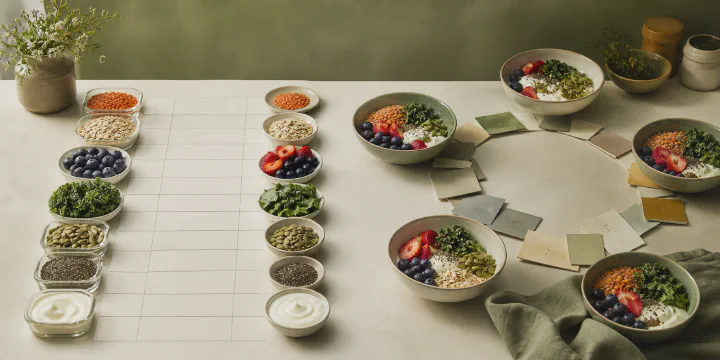
Fiber is low today. One bad day, or is that how your weeks go?
Cronometer can help answer that over time. Basic shows seven-day nutrient averages; Gold lets you choose any date range. You can also see the foods that contributed most to a nutrient.1
Calk reviews a month of eating and suggests changes to familiar meals. A month of ordinary eating turns into a report that names the specific foods that supplied each nutrient and shows where the gaps were. Once every change you chose has become a habit, daily food logging ends and you follow your weight trend.
What you are left holding#
 Open full size ↗
 Open full size ↗
 Open full size ↗
 Open full size ↗
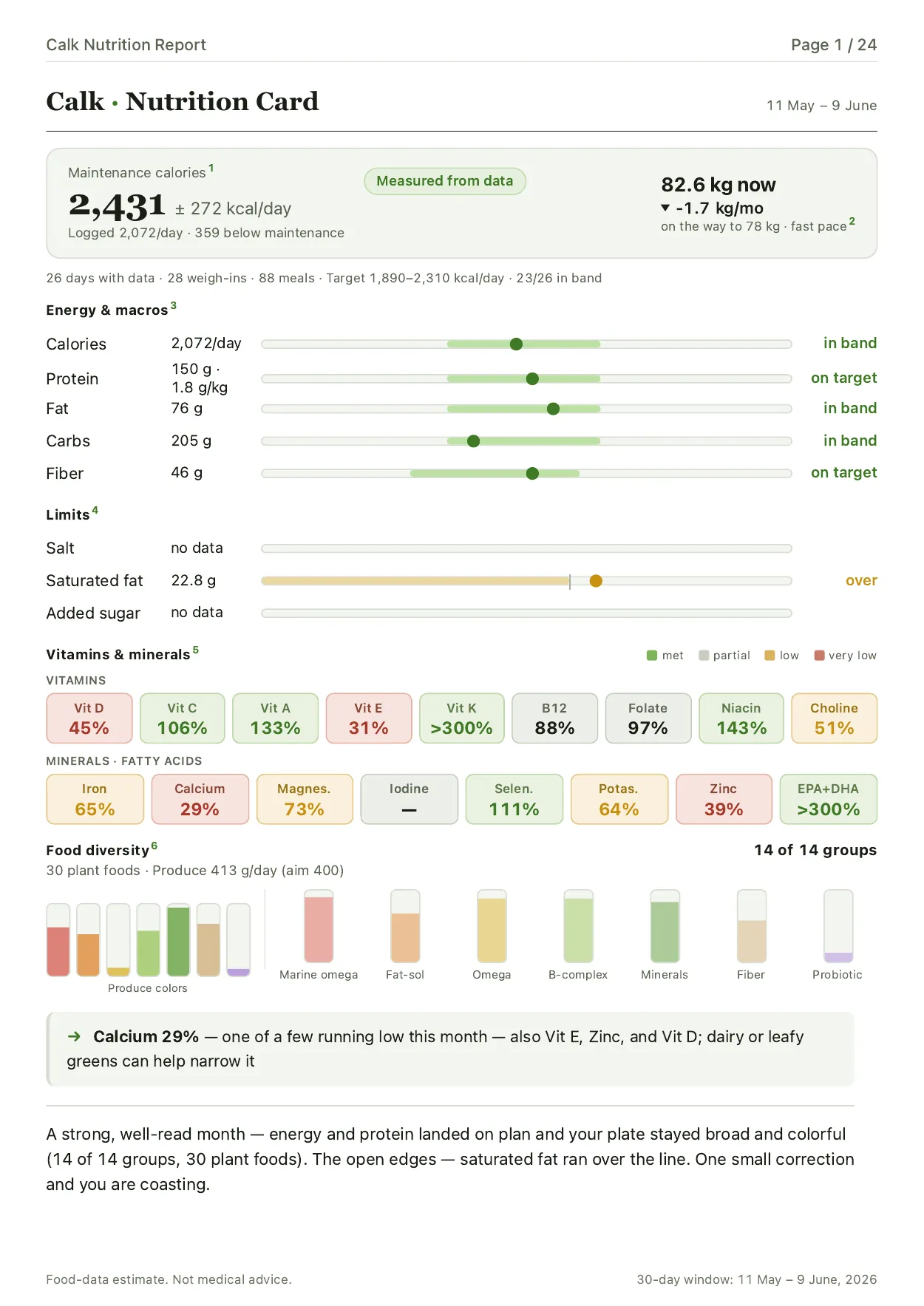
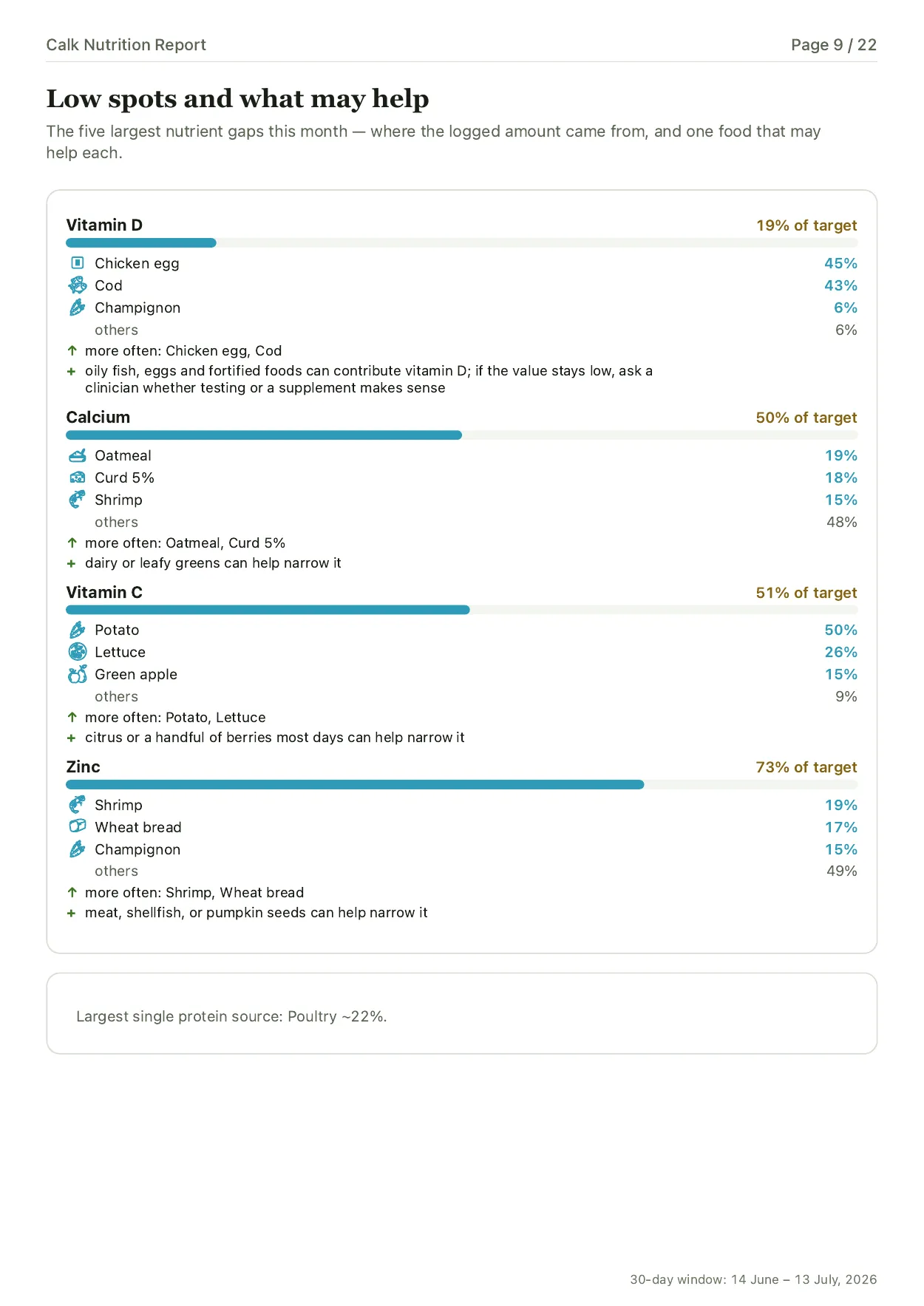
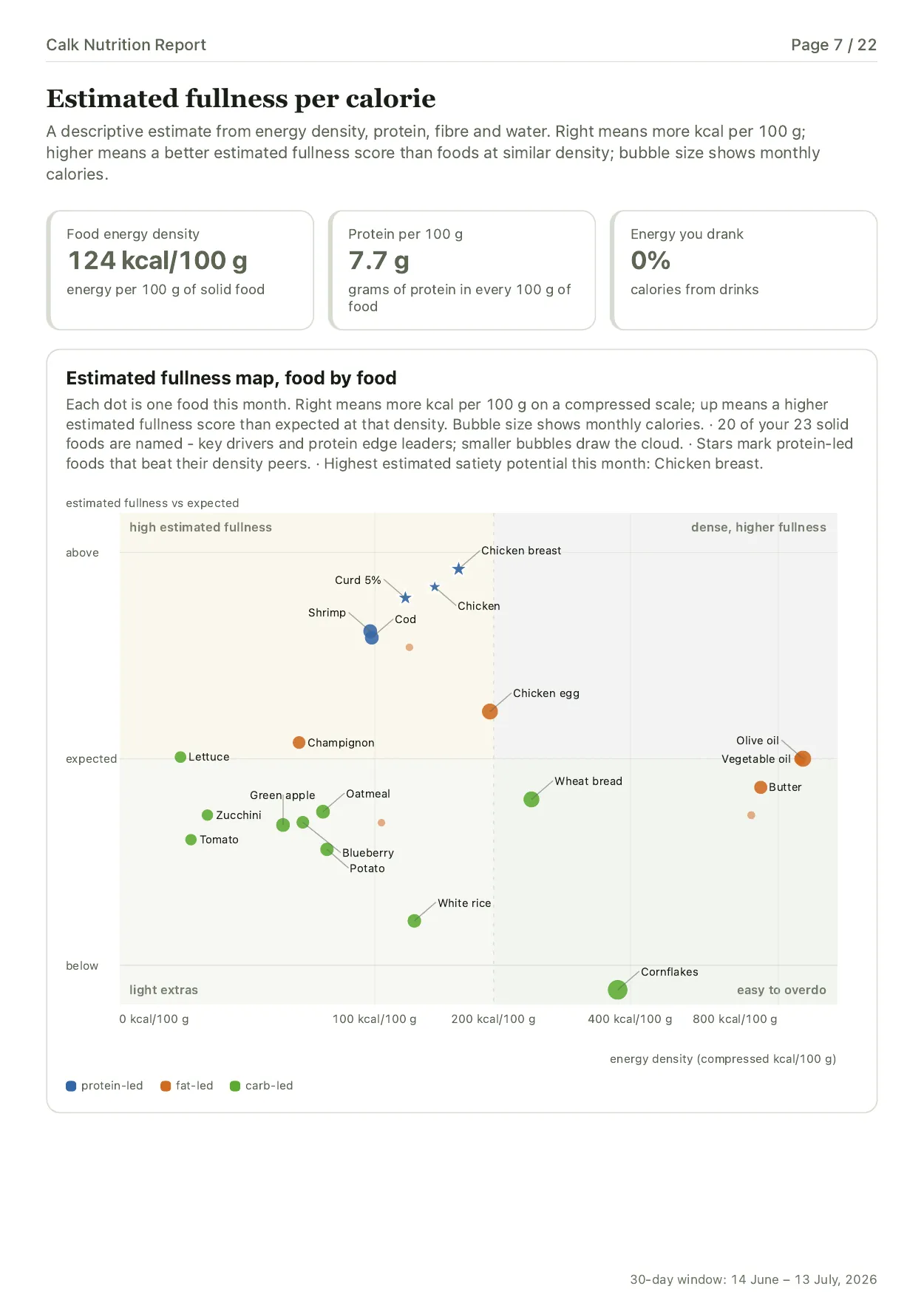
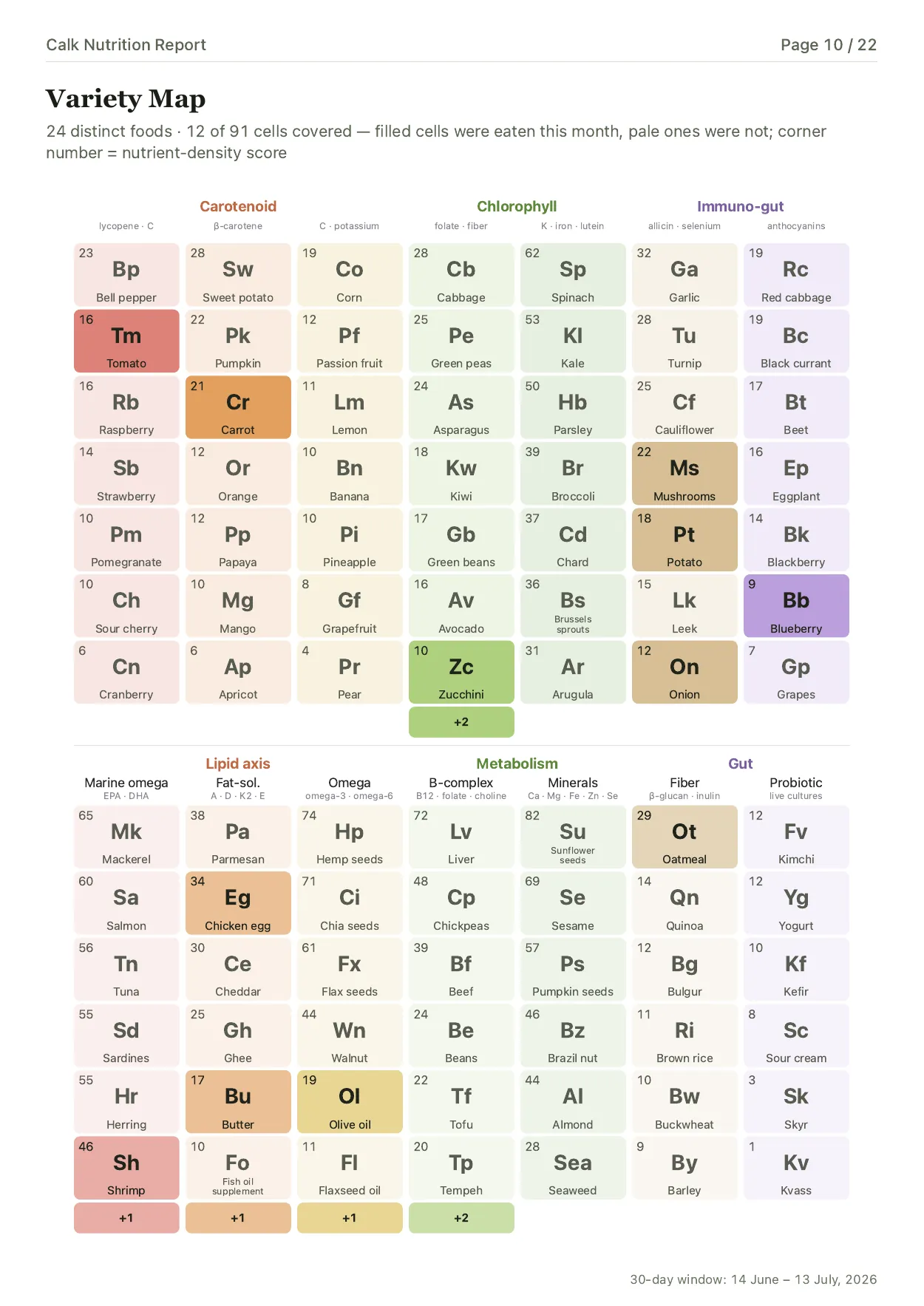
The Calk report connects the numbers to familiar meals and useful changes: which foods carried your protein and fiber all month, which groups never showed up, how this month differs from the last one, and which step is worth taking next. Five of its twenty-two pages are shown in full on what the monthly Nutrition Report looks like.
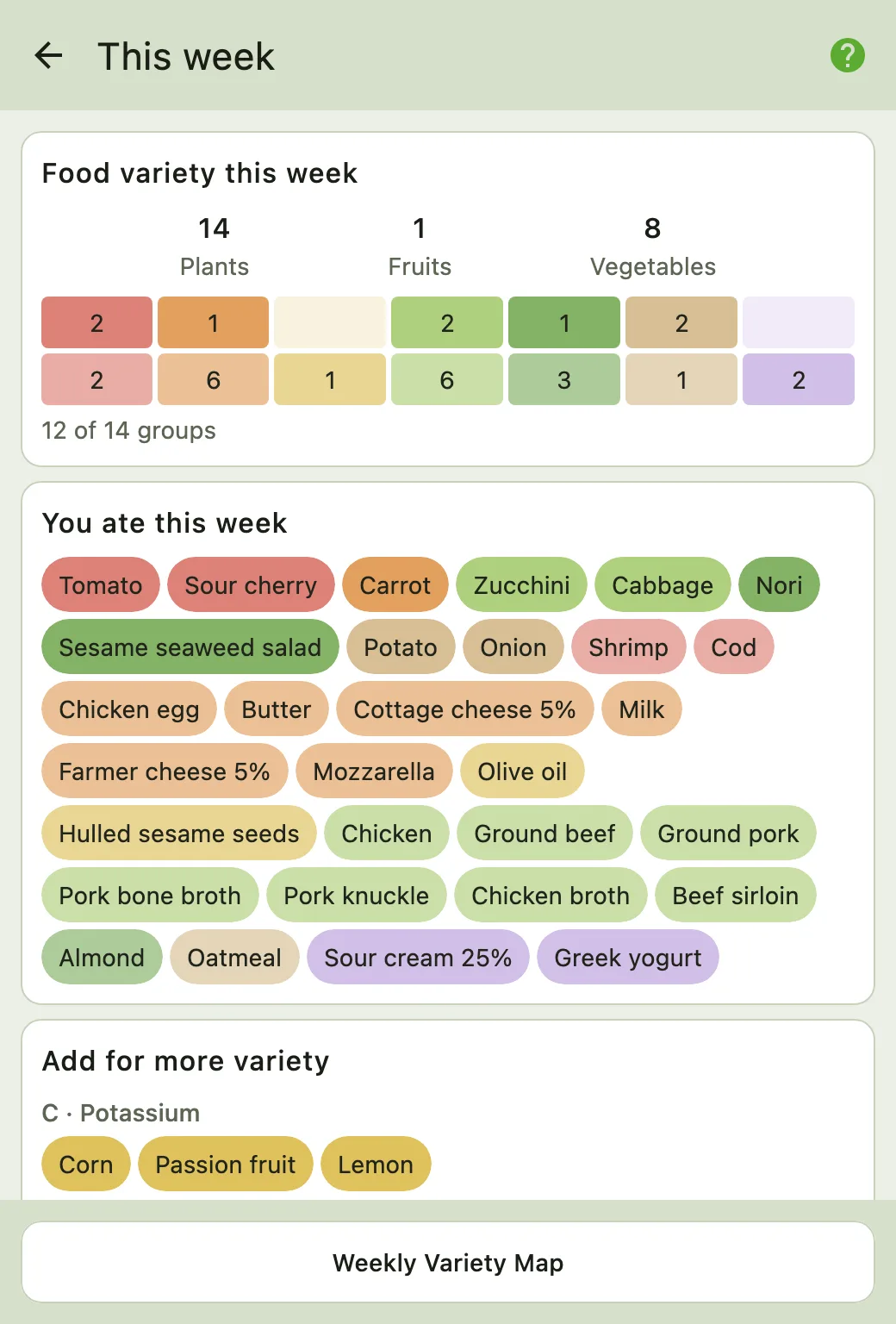
For a weekly overview, open the weekly variety screen. It shows which of fourteen food and nutrient groups appeared in seven days of entries and which were missing. It is built from the same entries — nothing extra to add — and reading it takes seconds.
 Open full size ↗
 Open full size ↗
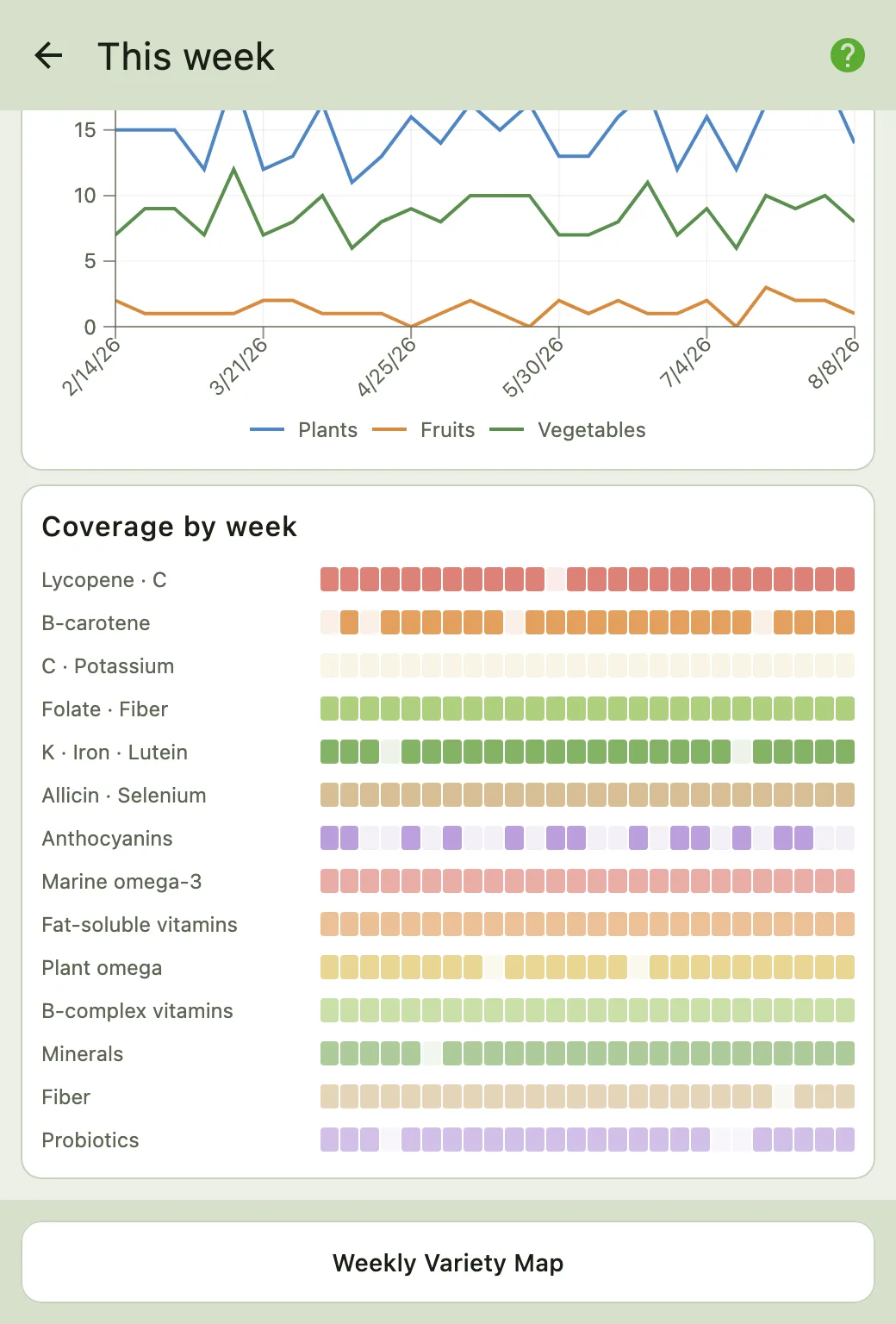
The “Fiber” row in the second picture shows which weeks had the source and which did not. How the screen works is in Calkpedia; the Variety Map is shown in full with a real example from a month.
Which precision for which question#
Precision depends on the question. If you need a precise total for iron or sodium, an error in one portion matters; weighing helps reduce that source of error in either app.
A question at the scale of a month works differently. To see that fiber rested on a single bowl of oatmeal all month and legumes never appeared at all, gram-level precision is not needed: a pattern that size is larger than the error in estimating a portion, and does not fall apart because of it. Estimated portions are sufficient for it. Missing days are the real threat to a pattern that size: the fewer days of the month sit in the diary, the shakier the conclusion, and a gap that repeats — the weekends, every time — tilts the picture in one direction as well.
So Calk is built for someone who is not going to pull out a scale in a café. You open the template for a familiar meal, mark the protein, the preparation, the fat, the sauce and the portion, and it takes half a minute. The number is an estimate — and an estimate you keep making for a month tells you more than a gram-accurate diary you abandoned on day five because of the scale.
Where Calk measures its own error, and what that error does not include, is in how accurate Calk is.
An empty field stays empty#
This applies to both apps, and Cronometer says so plainly: when a food you logged carries a nutrient its entry has no value for, the day’s total undercounts that nutrient — and packaged products and restaurant dishes rarely carry values for everything.2 A zero in the diary does not mean zero nutrient in the food.
Both apps depend on the nutrient data behind the foods you log. A packaged-food entry may contain only the values from its label. In Calk, a meal template draws on the ingredients you select: lentils bring their fiber every time they land in a meal, whether or not they came in a package. How that catalog is built is in where Calk’s food data comes from.
A diary you do not need every day#
Reports describe the days you recorded. New entries are needed to describe a changed diet; the older records remain useful.
Calk gives daily food logging a defined job. The order is this:
- Log ordinary days for a month, weekends and restaurants included.
- Get the report: recurring meals, nutrient sources, gaps.
- Put the changes into your usual meals and keep logging until each one is a habit.
- Finish collecting food data. New weigh-ins keep the trend current; no food logging is needed.
Come back for a reason: the weight trend has moved for good, your routine changed, you want to check one particular nutrient. Not because the app sent a reminder and you would rather not lose a streak.
A change of season is a reason too, and a week is enough: a week of ordinary days in February and a week in July produce two different sets of fourteen rows. Two weeks are not enough to say the season is the cause, but they are enough to see which group is missing right now and decide whether to bring it back.
See how to get your report for the food and weight records it uses.
What is free#
Free Cronometer Basic is a diary with ads; photo and voice logging, custom date ranges in reports and custom charts belong to Gold, listed on the US site at $10.99 billed monthly or $59.99 for a year on September 5, 2026.3
Calk keeps food logging, daily calorie and macro targets, weight entry, the trend chart and a shareable seven-day Variety Map free — and with no ads, on any plan. A new account opens with 30 days of full access, including Observations and your first Nutrition Report; no bank card is required. Later reports and continued access to it require a subscription.
Which is which#
Cronometer — if you want detailed records of foods and supplements, nutrient totals and reports across different periods.
Calk — if the question sounds different: what is wrong with my ordinary eating, what should change in it, and when I can stop logging food every day.
Try it with the breakfast or soup that repeats most often for you: build it in Calk and log ordinary days. After a week, the weekly variety screen shows which of the fourteen groups did not appear — a starting point for a closer look at your familiar meals.
Calk is available on iPhone, iPad, and Android.



Frequently asked questions#
Do you have to weigh food to get anything out of nutrient tracking?
What does Calk show for vitamins and minerals?
When is Cronometer the better fit?
Can I see a nutrient pattern in Calk for free?
Sources and review date#
Cronometer’s features and prices were checked on September 5, 2026 against the company’s official website and help center. The report periods and nutrient-source view were checked on October 10, 2026.
Cronometer: using the Nutrition Report, checked on October 10, 2026. ↩︎
Cronometer Gold: what the plans include and the price, US site on September 5, 2026. ↩︎